
How to Freeze and Unfreeze Your Account
Here you’ll learn how to freeze and unfreeze your account so you can quickly get help should you face a security threat.
Contents
1. Freezing Your Account
2.Unfreezing Your Account
1. Freezing Your Account
You can quickly freeze your account using three methods:
1.1 When performing sensitive actions, you’ll receive a confirmation email which also contains a freeze link. Click the link to immediately freeze your account. Scenarios that will prompt this confirmation email include:
- Unusual IP activity
- Login notifications
- Changing or unlinking your phone
- Changing or unlinking your email
- Changing or resetting your trading password
- Changing your login password
- Creating or modifying APIs
- Withdrawals
- Freezing and unfreezing your account
The link should look like this:
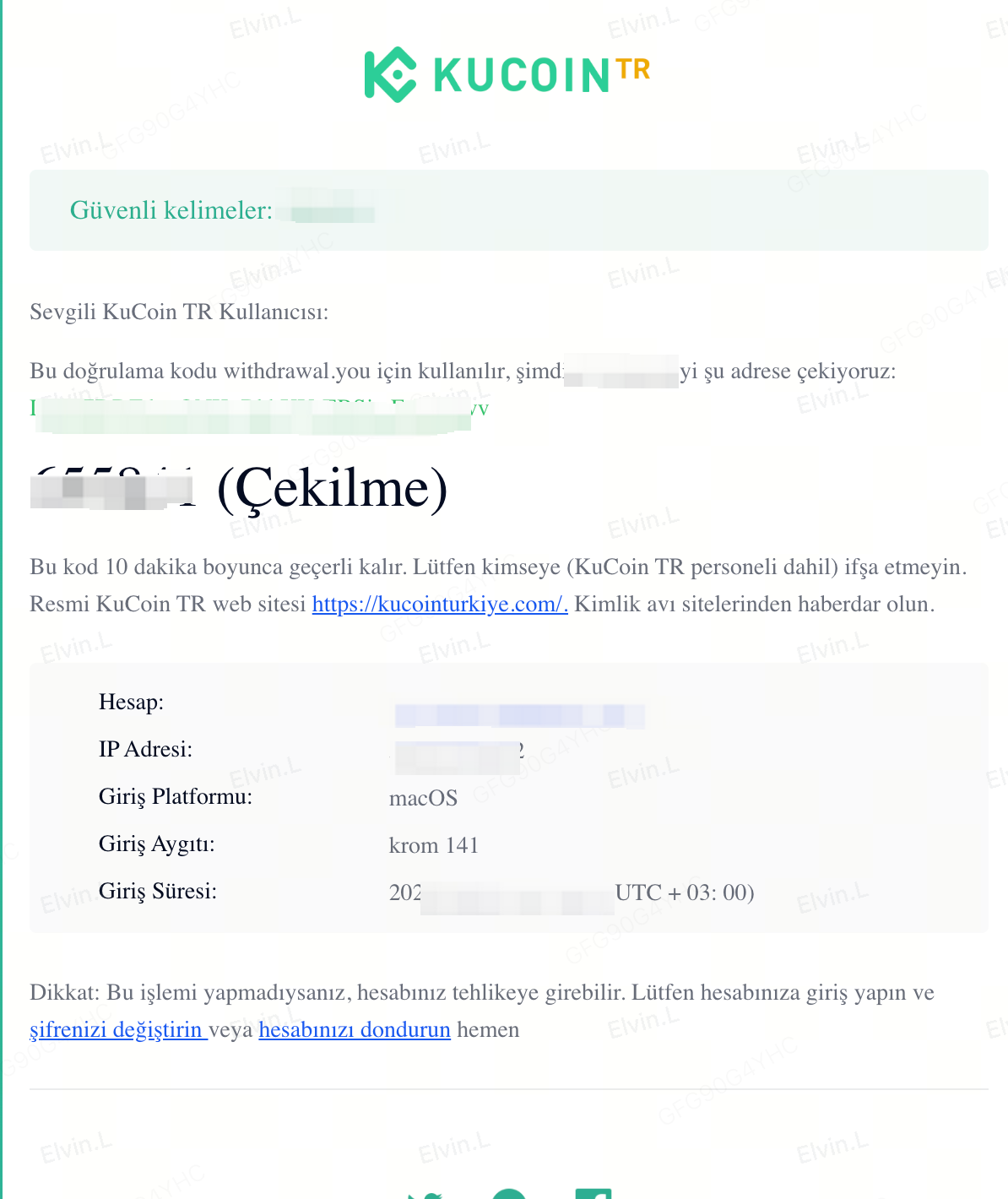
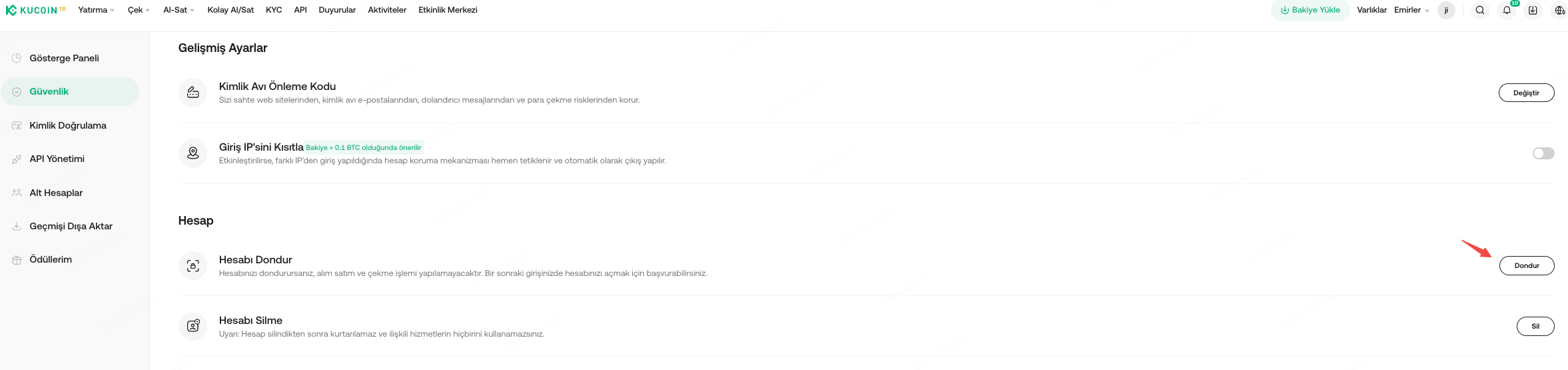
1.2 If you’re already logged in, an emergency freeze can be done in two ways:
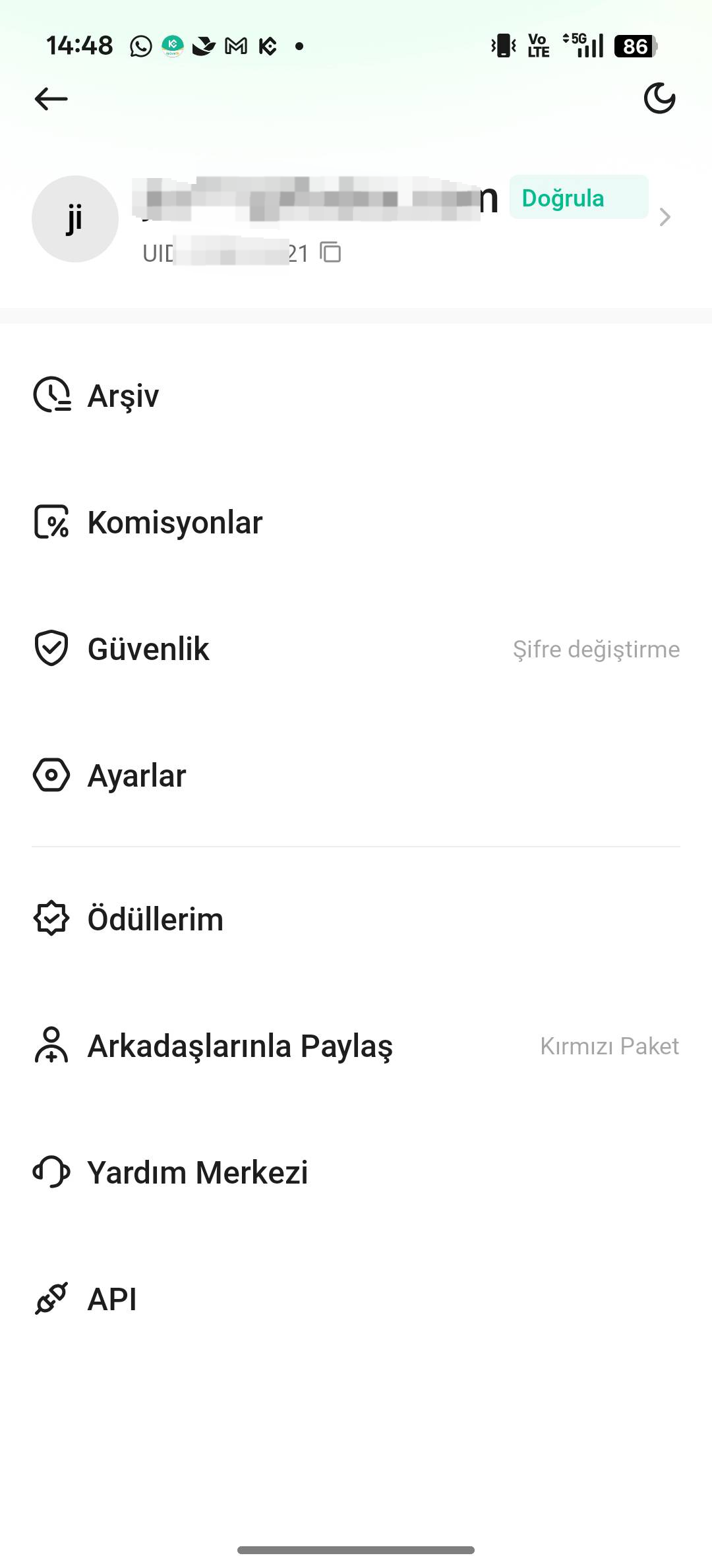
i. Click on your Profile → Security → Locate Freeze Account
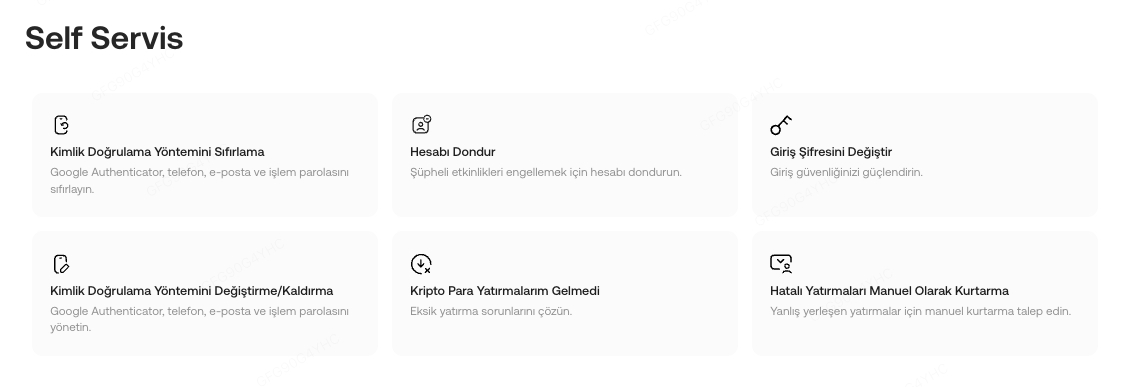
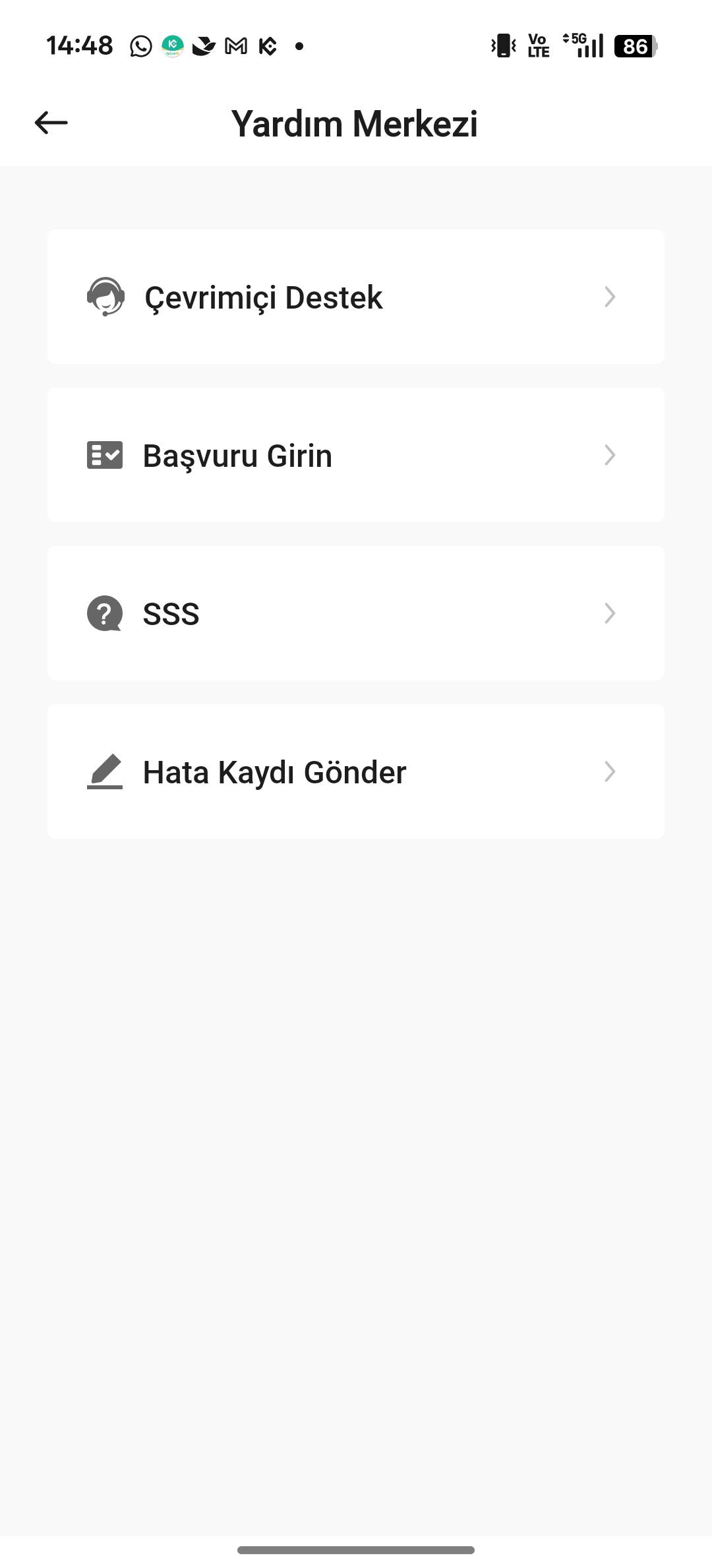
ii. Or, go to Help Center page → Freeze Account
1.3. If you suspect your account or email is compromised and you can’t log in to your KuCoin TR account, contact live support immediately. Once we’ve verified your identity, your account will be promptly frozen.
Web:
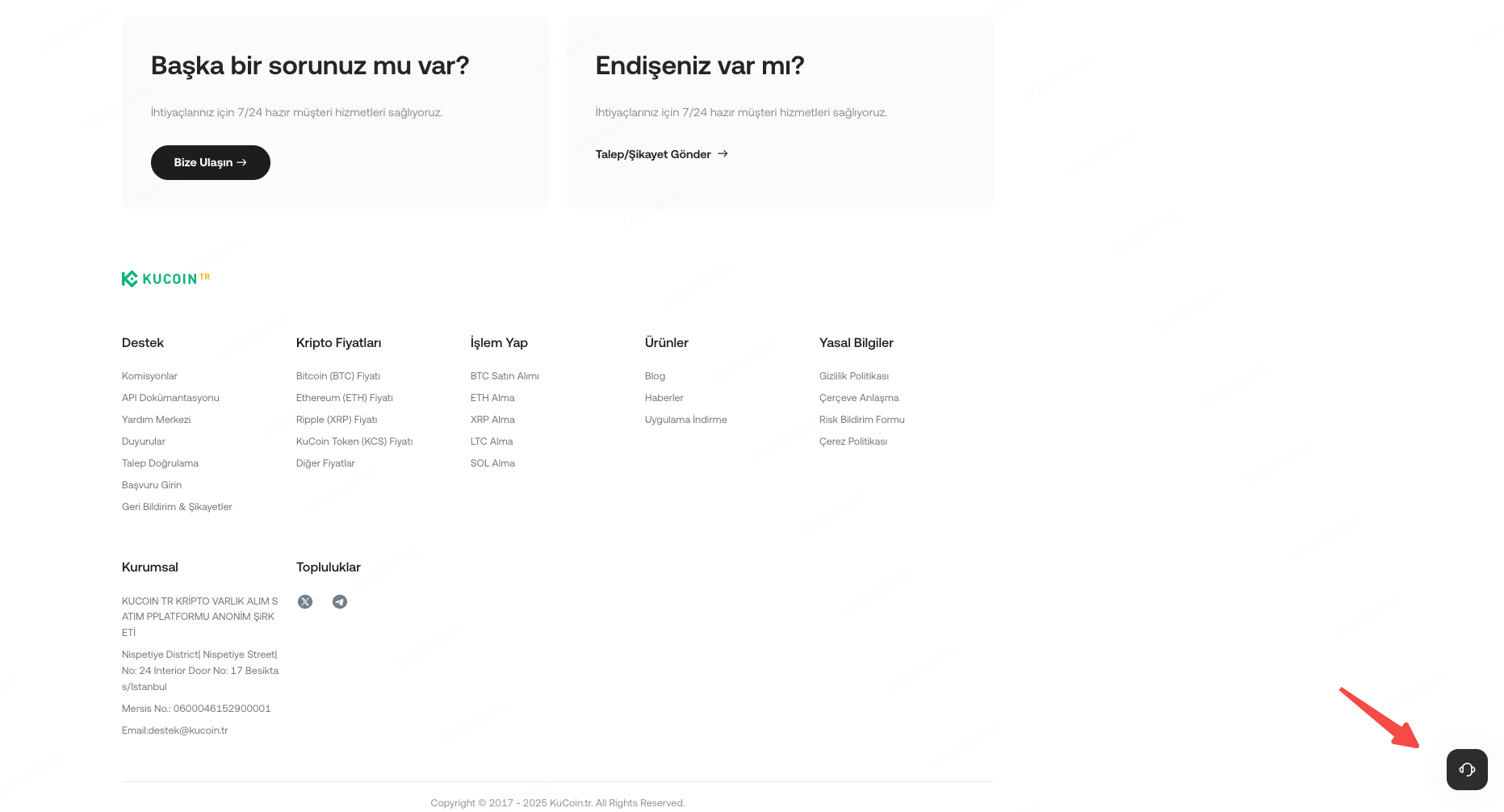
Open the KuCoin TR official website. Under the Services section at the bottom of the homepage, select Help Center. Alternatively, click on the “Need any help?” customer support icon in the bottom right corner.
App:
Log in to the app, open the menu by tapping your profile on top left corner, and click Support → Online Support.
2. Unfreezing Your Account
Once you are sure your account is secure, you can unfreeze it through a self-unfreeze or by contacting customer support for a manual unfreeze.
2.1 Self-Unfreeze
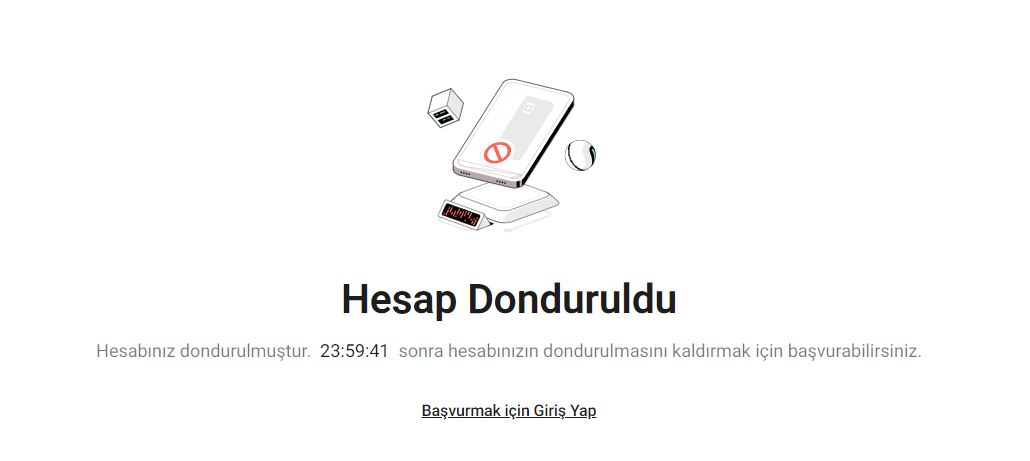
If you froze your account on your own, you’ll need to submit a self-unfreeze request. First, log in to your account. A pop-up should appear, requesting you to complete security verification. Enter your trading password and verification code that you’ve received (via email or text) to verify your account. Then, follow the remaining web prompts to complete Identity Verification and submit a self-service unfreeze request.
Note: You can only self unfreeze your account 24 hours after you frozen your account.
2.2 Manual Unfreeze
If your account was frozen for other reasons and you can't log in, withdraw, or trade, please contact online chat. We'll investigate the causes and unfreeze your account as soon as possible.
We hope this article has been helpful. If you have any other questions, please reach out to our customer support via online chat or submit a ticket.