How to Use KuCoin TR Convert?
This article introduces KuCoin TR Convert which is a straightforward tool designed for quick and fee-free cryptocurrency exchanges, making it particularly suitable for beginners and those seeking hassle-free transactions.
To enjoy the benefits of KuCoin TR Convert features, here’s a step-by-step guide on how to use KuCoin TR Convert, both on the app and the website:
1.Using Convert on the KuCoin TR App
2.Using Convert on the KuCoin TR Website
1. Using Convert on the KuCoin TR App
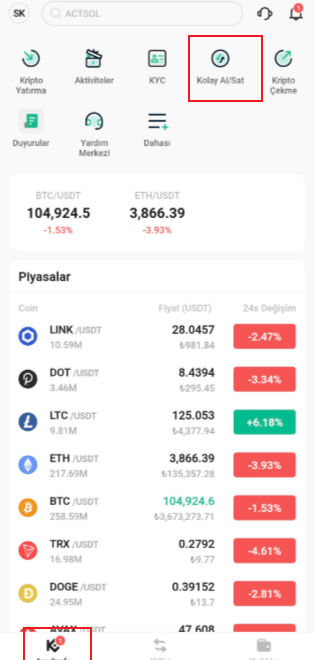
Step 1: Open the KuCoin TR App, go to the Home section, and click on Convert
Step2: In the KuCoin TR Convert interface, choose Market or Limit order and choose the cryptocurrency you wish to convert from the upper field and the one you want to receive in the lower field.
Select the Balance icon to choose the account from which the cryptocurrency to be withdrawn.
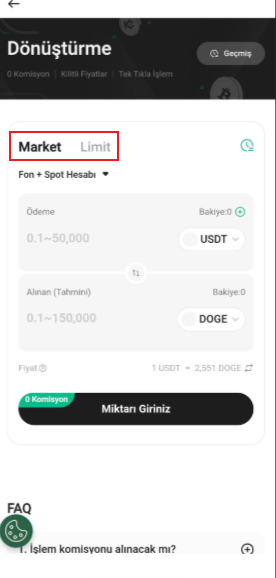
Step3: Enter the amount and review your order details in the confirmation dialog box and Confirm the transaction. The conversion process incurs zero fees.
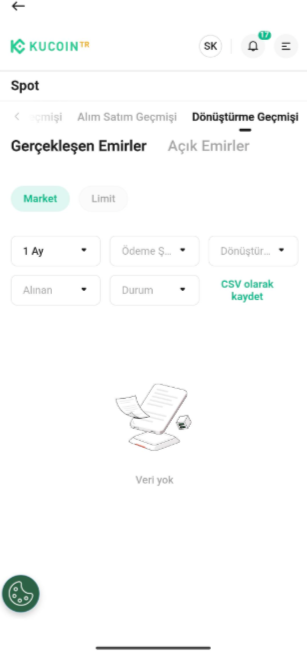
Step4: You can view your Convert orders by accessing the History section on the Convert page.
2. Using Convert on the KuCoin TR Website
Step 1: On the KuCoin TR website, go to the top menu and select the Convert.
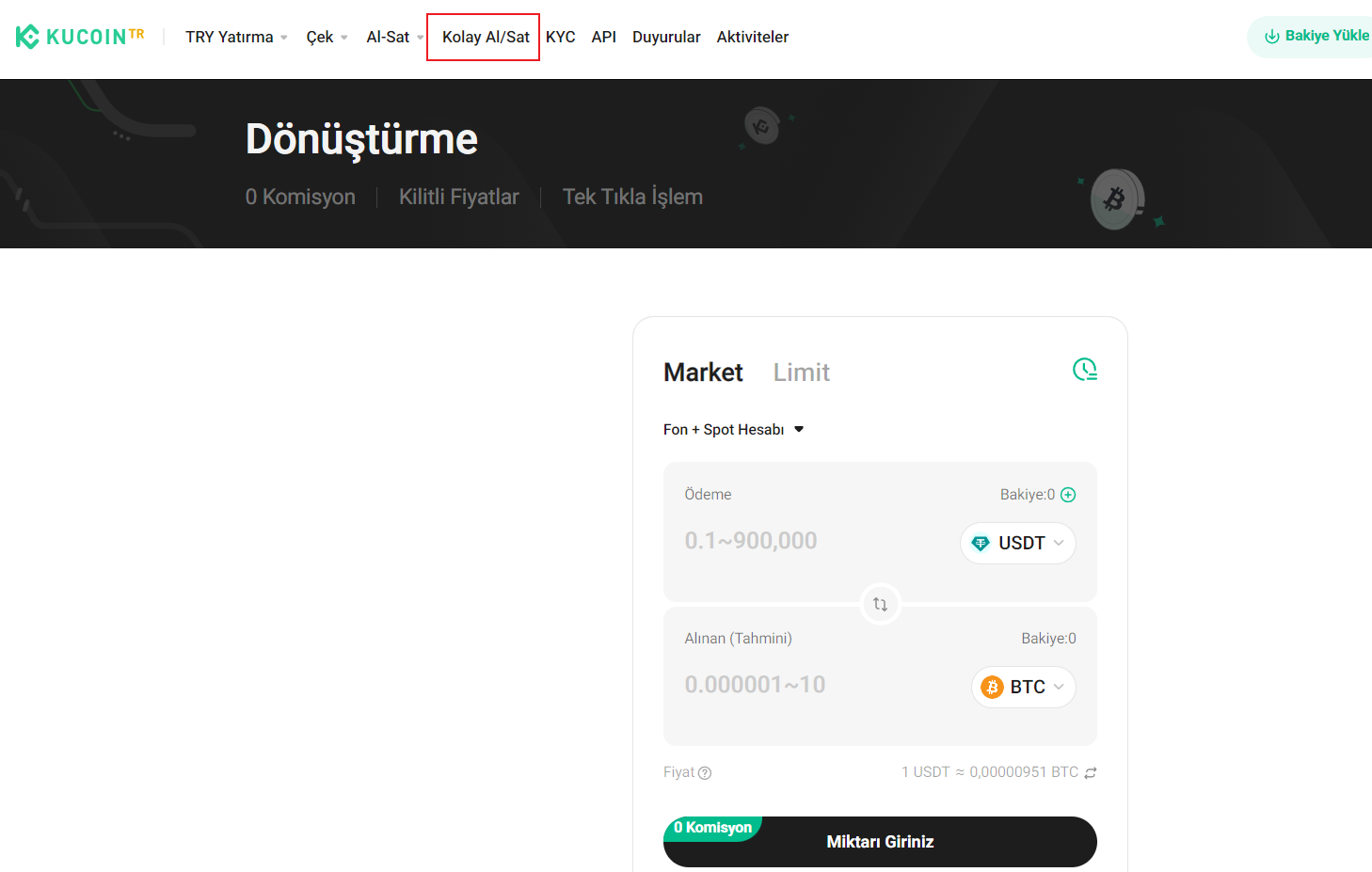
Step 2: Choose Market or Limit order and choose the cryptocurrencies you want to convert. You can also check previous conversion history, view current prices by inputing any amount, and modify the account for convert at this page.
You can refer to the market price to enter the amount of tokens you will pay, as well as the expected amount of the tokens you will receive. Alternatively, you can refer to the price when you enter your desired conversion rate, to complete your order.
If the price you set is lower than the current market price, your order will not be executed, and the system will remind you to re-edit your order.
Step3: Enter the amount for conversion and Confirm. The Convert feature allows you to enter the maximum possible amount by clicking 'Max'. Double-check all amounts and conversion rates before finalizing.
Step4: You can view your Convert orders by accessing the History section on the Convert page.
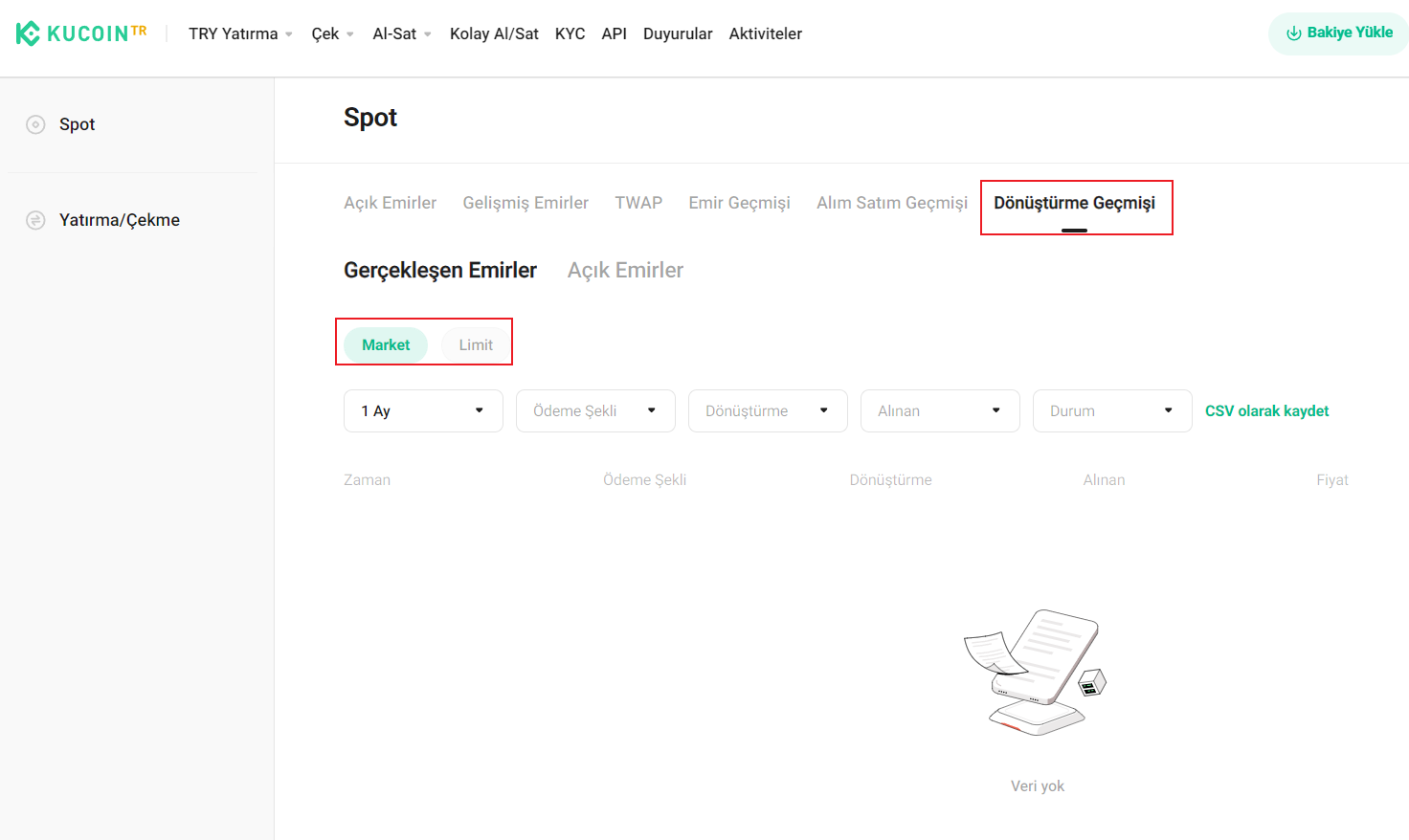
The default validity period of a limit order is 7 days. If the order is not completed by the expiration date, the system will cancel the order.
Note:
a. You will not receive a notification if your limit order is canceled due to expiration, or if it is completed within the validity period. As such, please be alert and check your order history regularly.
b. KuCoin TR Convert stands out for its ease of use and zero-fee policy, making it an appealing option for those looking to swap cryptocurrencies quickly and efficiently.
We hope this article has been helpful. If you have any other questions, please feel free to reach out to our customer support via online chat or submit a ticket.