How to Export Account History
This article guides you on how to export account statement and transaction history via self-service.
Content
1. Via Help Center
Step 1: Log in to your account. Navigate to the Help Center, then click on ‘Export History.’ Alternatively, you can access Export History directly via this link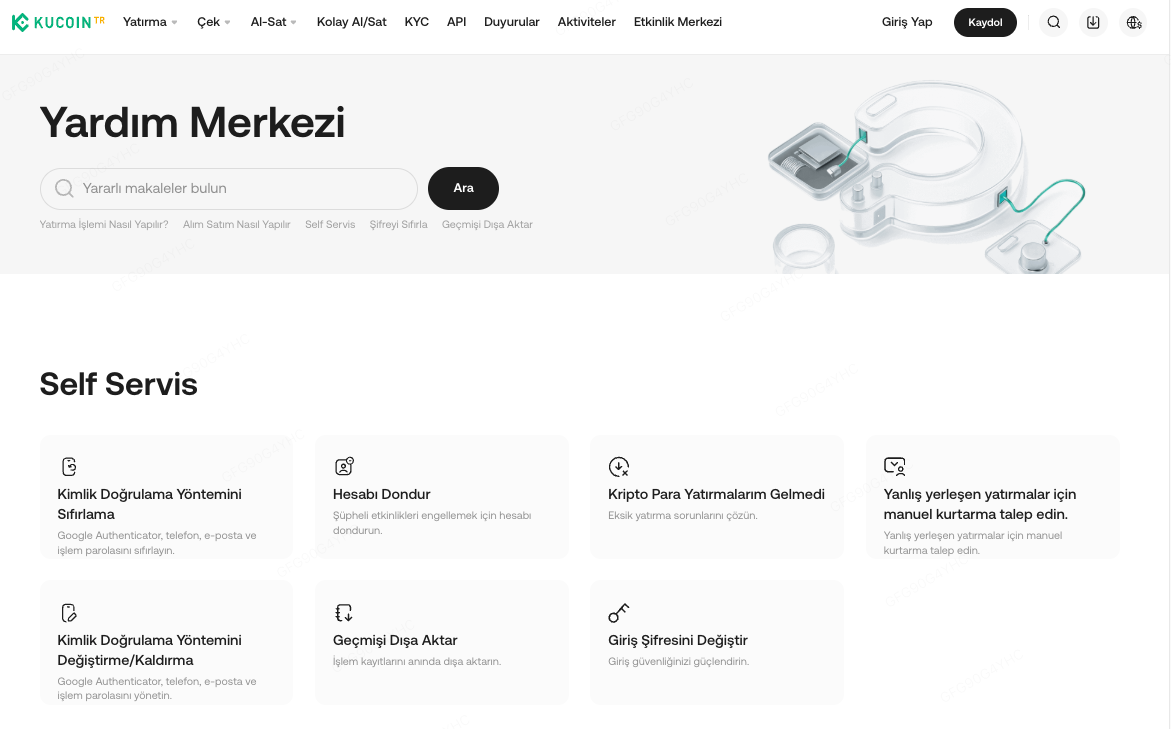
Step 2: Select the type of data and period required.
You may include Sub-account data and select the time zone as well as the format of the data exported.
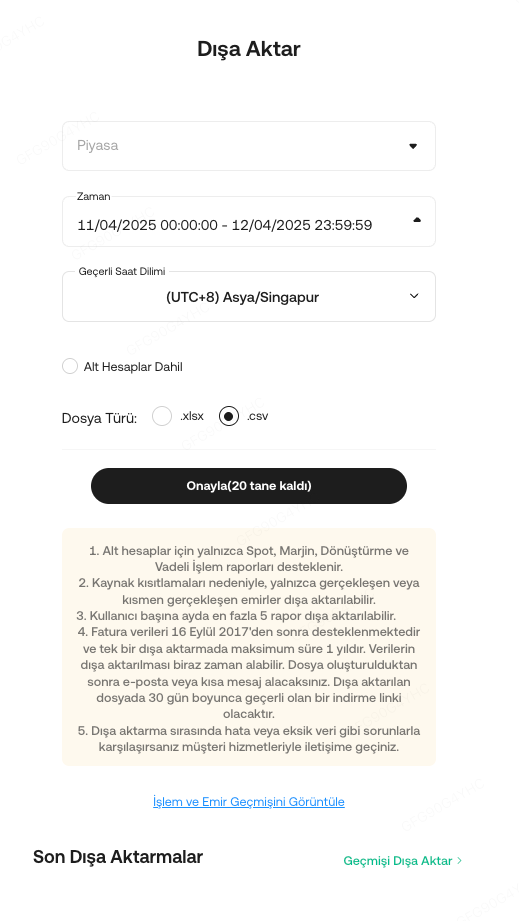

Step 3: Once submitted, please wait for the file to be generated.
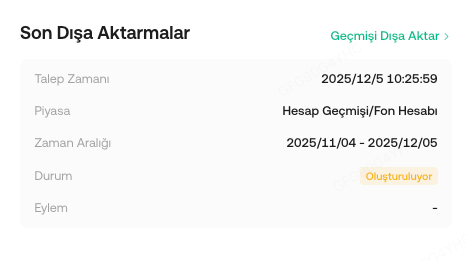
Step 4: Once generated, click Download

2. Via Export History
Step 1: Log in to your account, Click on Profile> Export History or via link

Step 2: Click Export and Select the type of data and period required.
You may include Sub-account data and select the time zone as well as the format of the data exported.
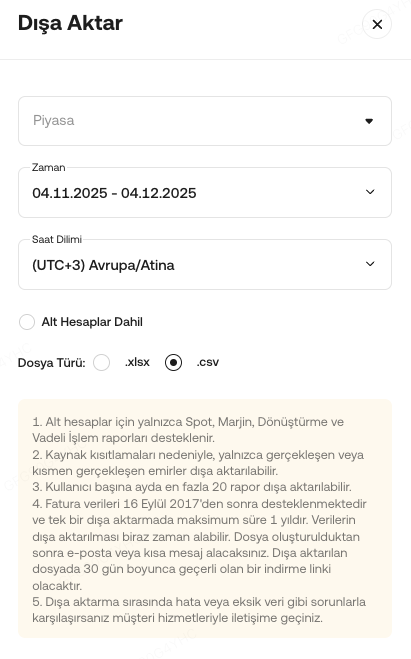
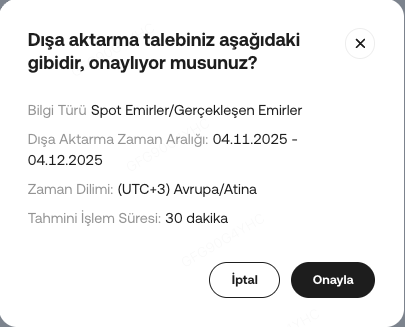
Step 3: Once submitted, please wait for the file to be generated.
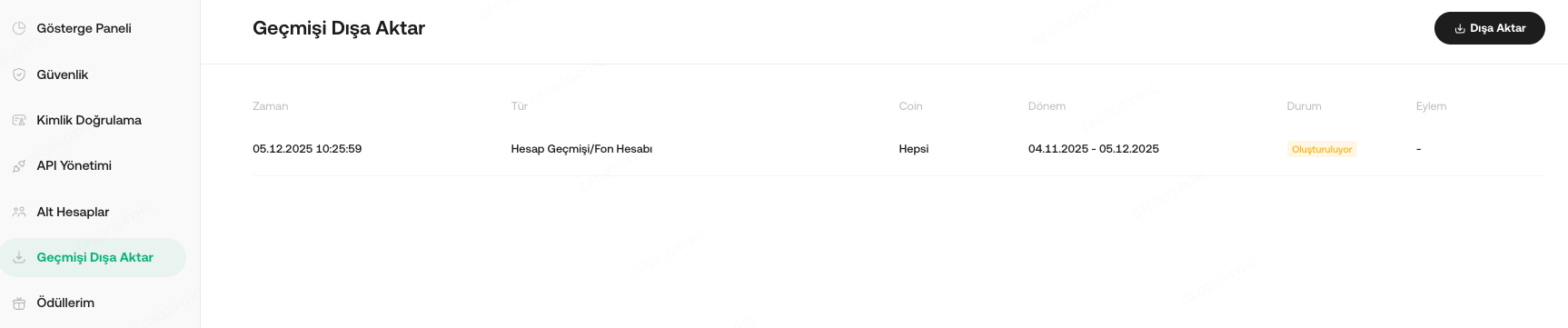
Step 4: Once generated, click Download 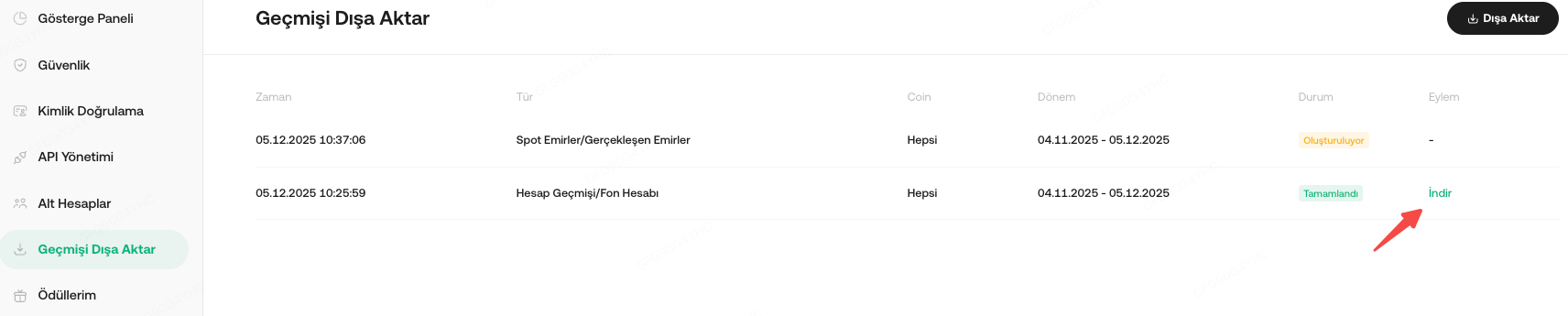
Note
1. To download Daily Bill and Monthly Bill for Spot order, Use this link https://www.kucoin.tr/order/trade or refer to this article.
2. Users can download and review trading history dating back to September 16, 2017.
3. If you have reached your monthly limit of 20 export opportunities, a manual export will be necessary. In such cases, please contact our support team for assistance.
4. For the best experience, we recommend you to prioritize exporting data within the last 2 years, excluding asset snapshots and account details. This process should typically take about 30 minutes.
5. For data requests exceeding a 2-year range, or those that include account details or asset snapshots, please note that these will be queued for export and the export process may take up to 7 days due to the larger data volume.